Full-Stack · Database · Rebuilt in 2026

A grocery store that
actually knows its inventory.

A storefront and manager tools for a grocery store, on a relational MySQL database behind a Flask API. Orders take stock in a single atomic step, so two shoppers can never buy the same last item, and the tests prove it against a real MySQL server.
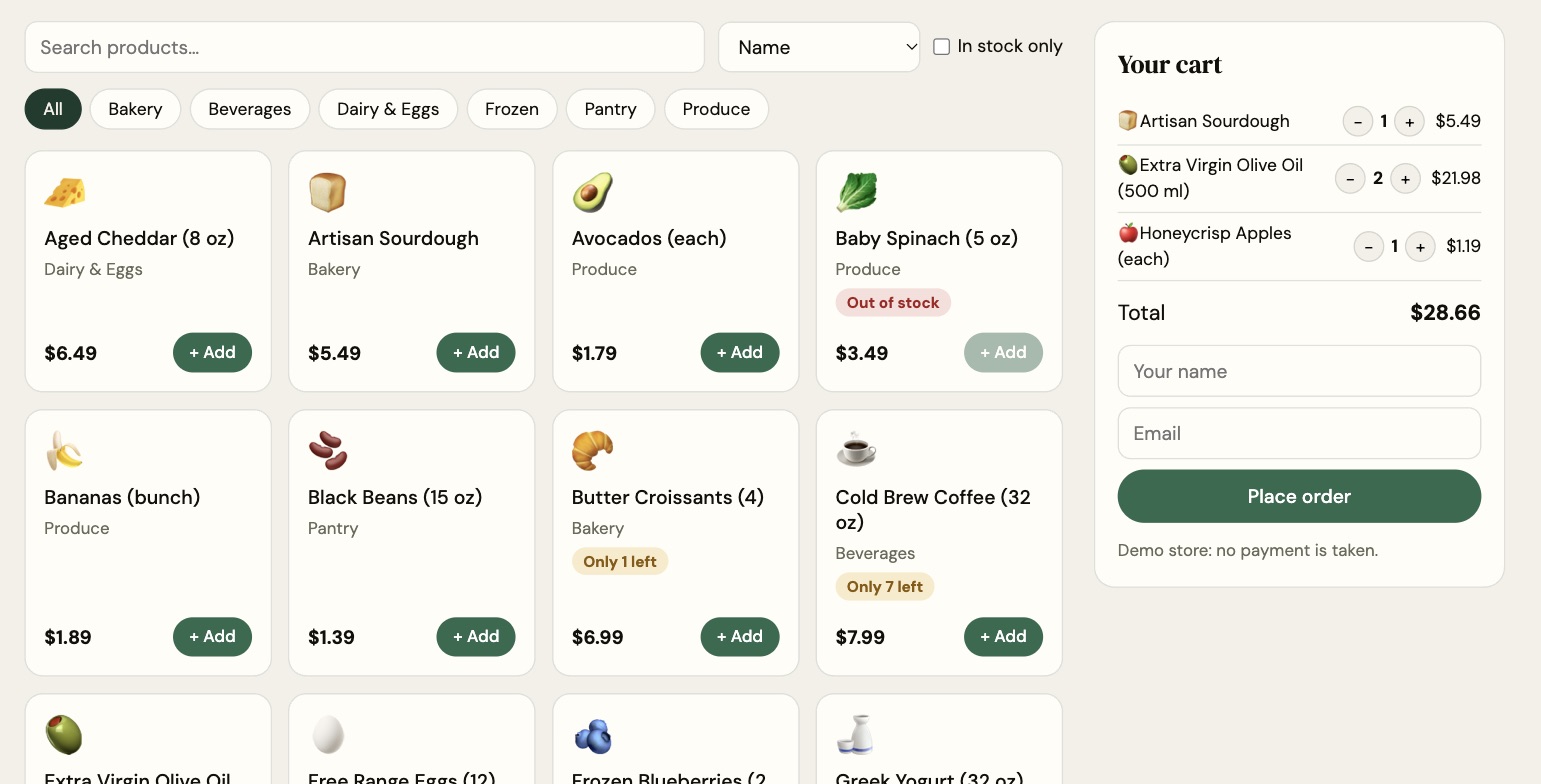
The Fresh Market storefront: product cards with prices and stock warnings, category filters, and a cart with three items totaling $28.66.
5
Related MySQL tables
9
REST API endpoints
22
Automated tests
0
Oversold items with 20 shoppers racing

Built around the database —
not bolted on top of it.

🗄️
Relational MySQL schema

Categories, products, customers, orders and order items, with foreign keys, unique SKUs and emails, CHECK constraints (stock can't go negative), and indexes on the columns the app searches and sorts by.

🔌
Flask REST API

JSON endpoints for searching the catalog, adding and editing products, restocking, placing orders, moving them through their statuses, and running reports. Every page in the app is built on it.

🛒
No overselling

An order takes stock with UPDATE … WHERE stock_qty >= qty, inside one transaction. If any item is short, the whole order rolls back and the shopper is told which item, with their cart intact.

📦
Inventory management

Search stock, see what's low or out, restock (added in SQL, so it never overwrites a sale happening at the same moment), add products, and retire them without breaking past orders.

🚚
Order tracking

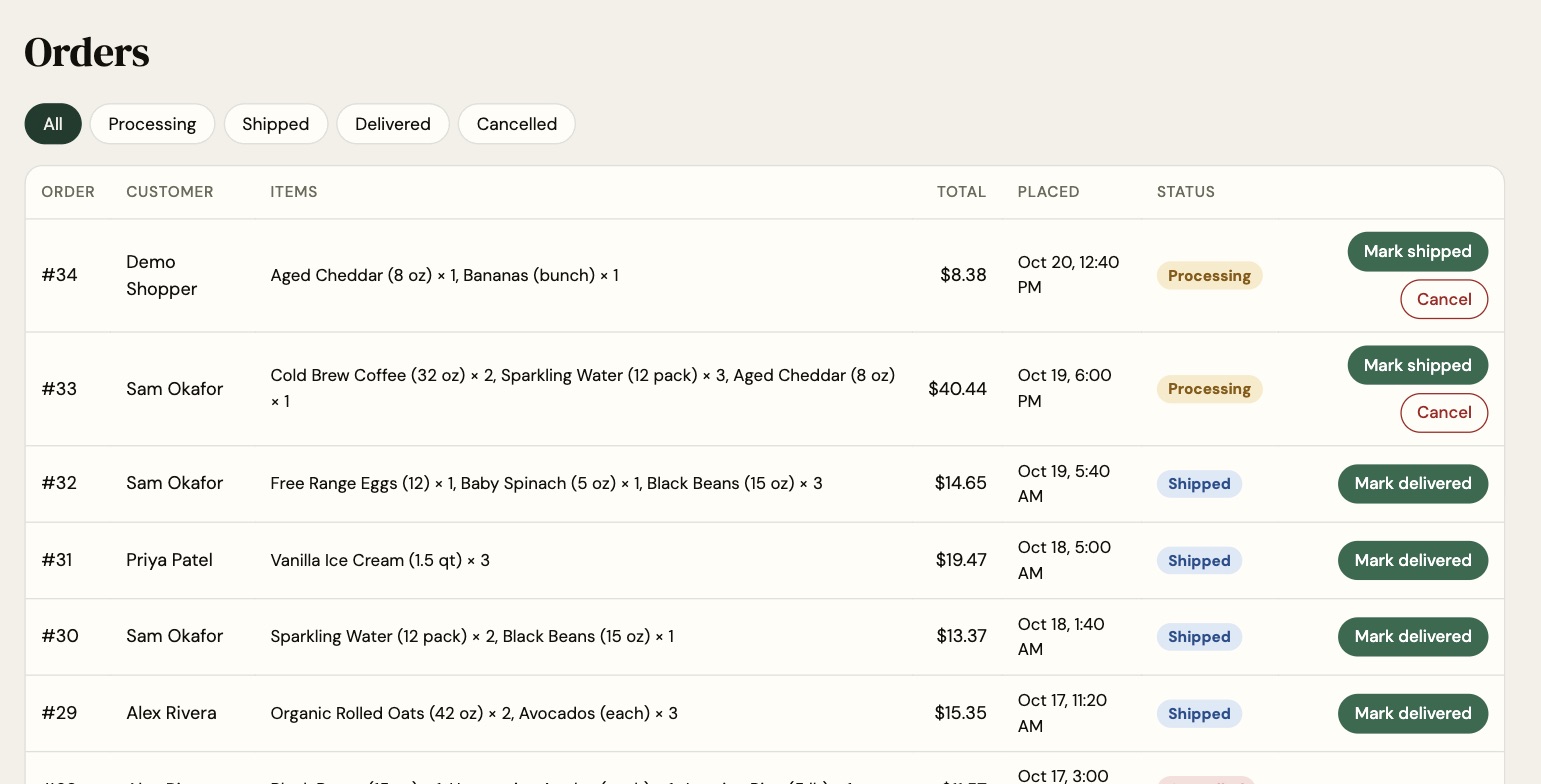
Orders move from processing to shipped to delivered. Cancelling a processing order puts its items back on the shelf; the API refuses moves that don't make sense, like un-delivering.

📊
Reports in plain SQL

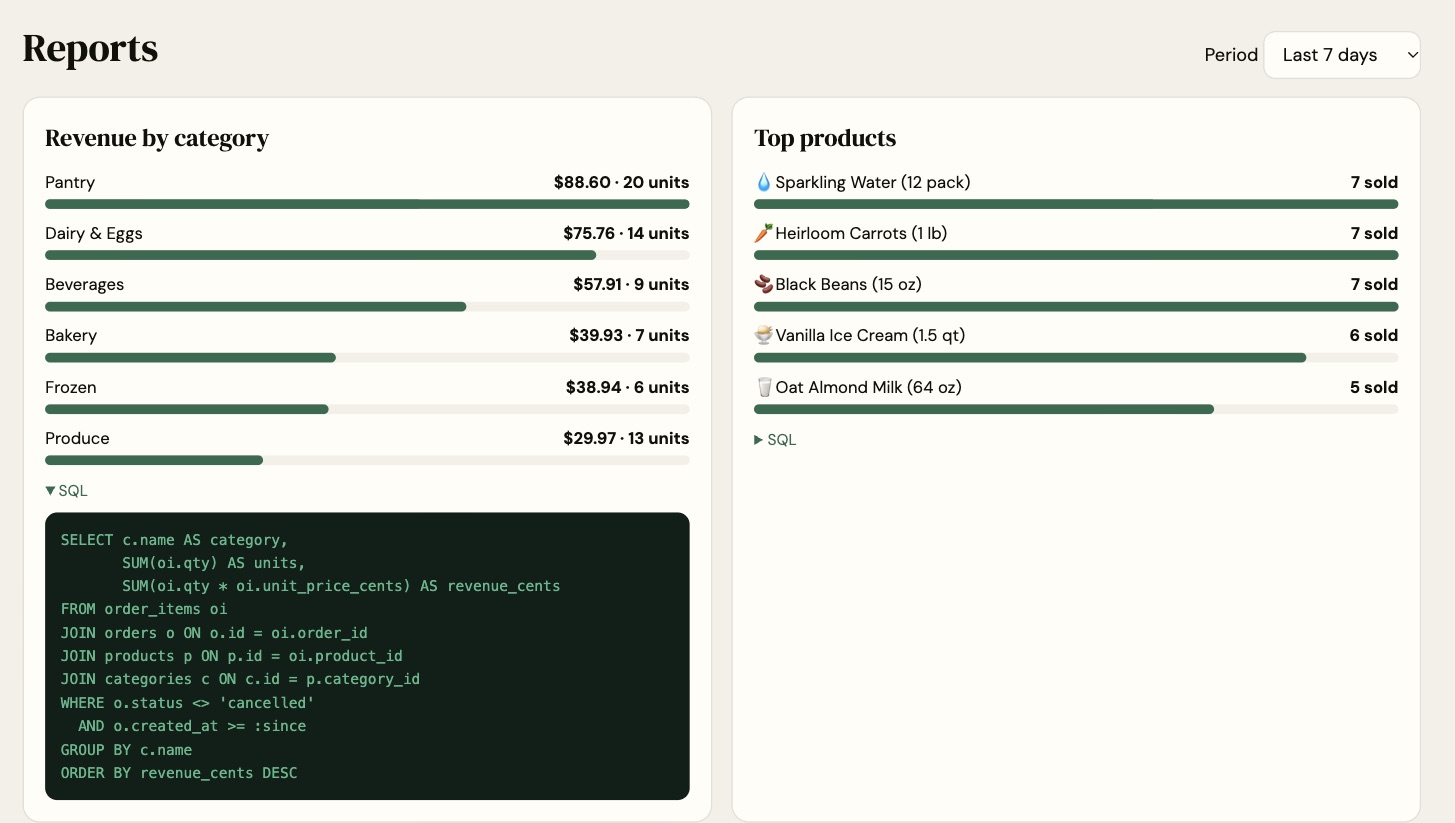
Revenue by category, top sellers, low stock and orders by status, written as readable SQL that the reports page shows. Revenue uses the price each item sold for, not today's price.

From cart to database atomically.

01
Browse

The storefront calls GET /api/products with search, category, price and in-stock filters; MySQL does the filtering and sorting.

02
Check out

The cart lives in the browser. Checkout sends one POST /api/orders with the shopper and each product's quantity.

03
Take the stock

In one transaction, each product's stock drops only if enough is left, in id order so concurrent orders can't deadlock. Any shortfall rolls everything back.

04
Record the order

The order and its items are saved with the prices paid, so later price changes never rewrite history or revenue.

The real interface.

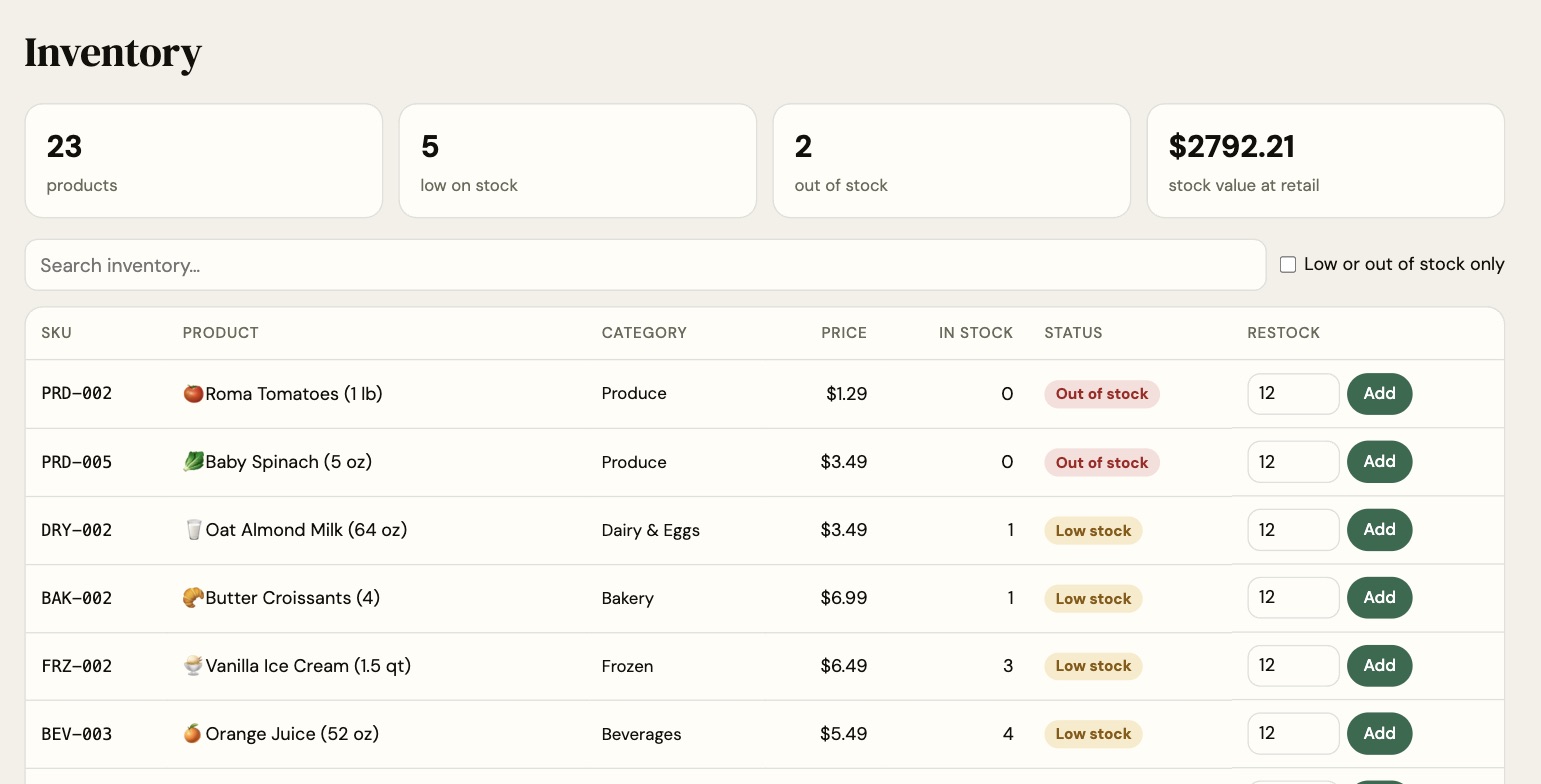
Screenshots from the app running locally with its sample data (flask seed): a 23-product store with two weeks of orders.

Storefront with search, category chips, product cards and a cart.
Orders table with status badges and Mark shipped, Cancel and Mark delivered buttons.
Inventory with totals, low and out of stock badges, and restock controls.
Reports: revenue by category with its SQL query shown, and top products.
# app/orders.py: take the stock, or take nothing
for product_id in sorted(lines):          # id order: no deadlocks
    result = session.execute(
        update(Product)
        .where(Product.id == product_id,
               Product.is_active.is_(True),
               Product.stock_qty >= lines[product_id])
        .values(stock_qty=Product.stock_qty - lines[product_id])
    )
    if result.rowcount != 1:
        short.append(product_id)
if short:
    raise OrderError("Some items don't have enough stock.",
                     status=409, details={"short": short})
# ...then save the order with the prices paid, and commit.
# Any error above rolls the whole transaction back.

✓ Checking and taking the stock is one statement, so the database decides who gets the last item.

Proven against real MySQL.

Every push runs the test suite twice in GitHub Actions: on SQLite, and on a MySQL 8.4 server.

Race for the last items20 shoppers order the same product at the same instant. Exactly as many succeed as there are units; stock ends at 0, never below.
All or nothingAn order with one short item changes nothing, not even the items that were available.
Prices paid are keptChanging a price afterwards leaves past orders and revenue untouched.
Status rulesDelivered orders can't be cancelled; cancelling restocks; unknown orders are 404s.
Search is safeFilters validate their input, and a search for "%" means the character, not a wildcard.
Reports add upRevenue skips cancelled orders and uses prices at the time of sale.

Built with purpose-fit tools.

🐍 Python
🌶️ Flask
🗄️ MySQL 8
🧱 SQLAlchemy 2
⚡ JavaScript
🧪 pytest
✅ GitHub Actions

Run it yourself

pip install -r requirements.txt
export DATABASE_URL="mysql+pymysql://user:pass@localhost/grocery"   # or skip for SQLite
flask --app app init-db
flask --app app seed
flask --app app run

Rebuilt, and tested.

I first built this store app with Flask and MySQL. In 2026 I rebuilt it from scratch, with a tested order system and real manager tools.